“Failed to load baselines” Error – Strange Permission Finding in Dynamics 365 Project Operations
This Saturday morning I ended up looking into the permission error “Failed to load baselines” (DE: Fehler beim Laden der Baselines” in Dynamics 365 Project Operations on the Project Tasks Grid. Not exactly weekend plans, but here we are 😉
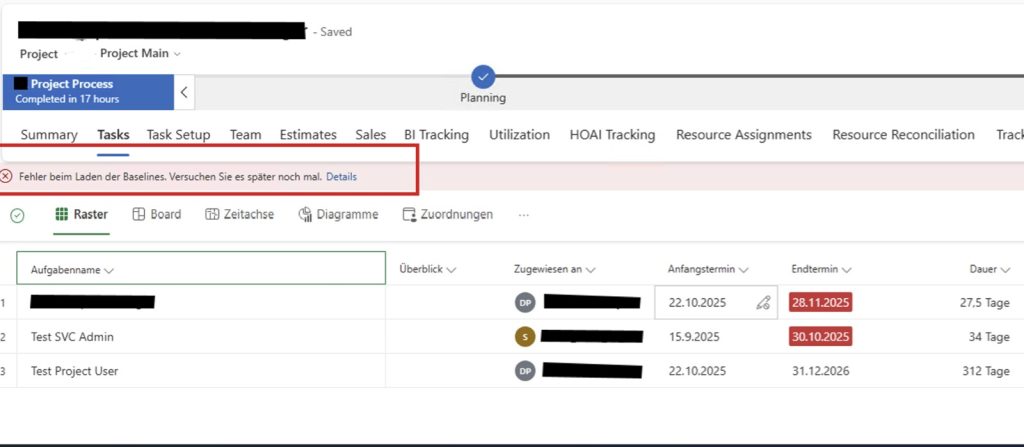
The issue appeared for a Team Member (Security Role – Project Resource) who opened a Project and navigated to the Tasks tab (Project for the web experience). Instead of seeing the tasks, the user got the message:
Failed to load the baselines.
What made this confusing was that the user:
- could see the project
- could see the tasks
- had read permissions on the baseline tables
So at first glance, permissions looked fine.
After some investigation and a bit of trial and error, I found the missing piece:
the Project Service Scheduling (PSS) service requires Write permission on the Project entity to load baselines successfully.
To verify this, I temporarily granted Project – Write permission to the Team Member role. As soon as I did that, the error disappeared.
This is where it gets tricky.
Team Members should not have Project Write permissions (according to the Dynamics 365 licensing guide), and from a licensing perspective they are not even allowed to have them. While Team Members are not really expected to open the Project form and navigate to Tasks, the system also does not prevent them from doing so.
So the UI allows access, but the backend service expects a higher privilege level.
Why does loading a project baseline require write permission on the Project entity?
Consider this scenario:
A Project Team Member simply wants to open a project and view the Tasks grid. No intention to modify anything, just read. Yet the project fails to open because baseline loading requires Project write access.
My best guess is that baselines are tightly coupled to the project schedule. When the Tasks page loads, the scheduling service probably initializes the full scheduling context and performs internal checks that require write access, even if nothing is actually changed.
From a technical perspective, I understand that loading a baseline may involve background writes or recalculations. From a design and UX perspective, however, I struggle with the assumption that opening a project implicitly requires write permissions at the project level. Why must this logic run strictly in the user context?
In short: read-only in the UI does not necessarily mean read-only in the scheduling engine.
The important takeaway: this behavior is not a misconfiguration. It seems to be by design. If you work with strict role separation and license-compliant Team Member roles, this is something to be aware of.